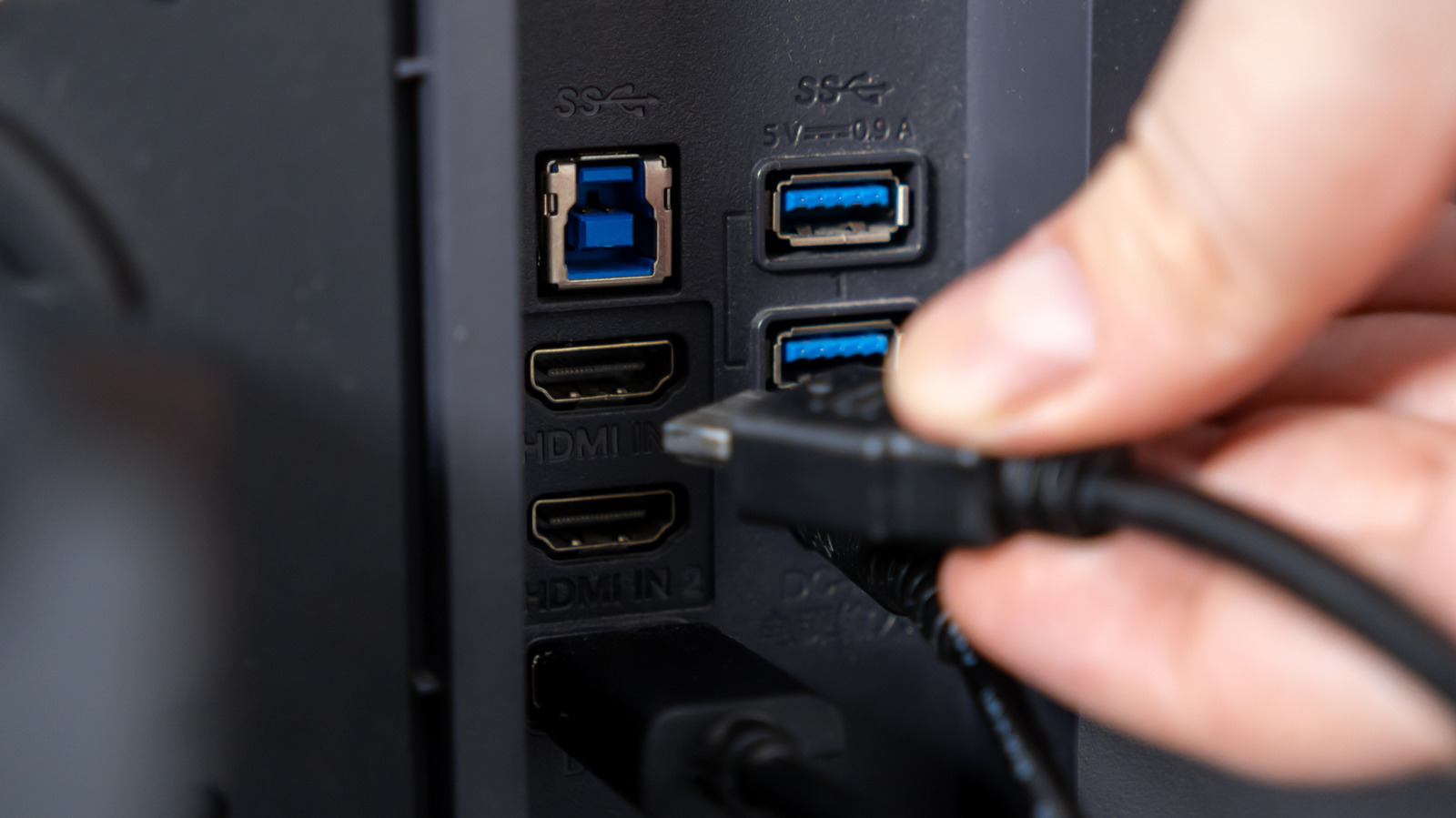
Your monitor's USB ports have many uses, but they don't all have the same capabilities.
On monitors with this built-in USB hub, you can connect a keyboard, mouse, webcam, flash drive or other accessory to the monitor and have it communicate with your PC through the USB connection.
On some models, the video connection and the USB hub are separate, so you might use HDMI or DisplayPort for the picture and another USB cable to make the monitor's USB ports work with your computer.
You can plug a keyboard or mouse into the monitor, then connect the monitor to your laptop with USB-C, and that one USB-C cable will both send the laptop's picture to the screen and carry the accessory data to the laptop.
Dell's U3223QZ is one example: its High Resolution setting reduces USB data to USB 2.0 speeds, while High Data Speed enables USB 3.0 bandwidth.
5 sentences from our version of the report,
chosen to cover it. Nothing here is written; every line is in the article below.
How
Summarized version
The downstream ports are where you plug in accessories such as a mouse, keyboard or flash drive. For example, a model might have two downstream USB-A ports and a separate USB-B upstream port.
Headline check
There is nothing in this headline a machine can check against the report: no figure, no name and no quotation.
Your monitor's USB ports have many uses, but they don't all have the same capabilities.
If your monitor has a couple of USB ports tucked along its back or side, they're likely there for your computer than the display itself. On monitors with this built-in USB hub, you can connect a keyboard, mouse, webcam, flash drive or other accessory to the monitor and have it communicate with your PC through the USB connection.
The exact way the ports work depends on the monitor. On some models, the video connection and the USB hub are separate, so you might use HDMI or DisplayPort for the picture and another USB cable to make the monitor's USB ports work with your computer. On supported USB-C monitors, one cable can handle both jobs.
You can plug a keyboard or mouse into the monitor, then connect the monitor to your laptop with USB-C, and that one USB-C cable will both send the laptop's picture to the screen and carry the accessory data to the laptop. Some monitors can also charge the laptop through the same USB-C connection.
The upstream port connects the hub to the PC.
DisplayPort Alt Mode allows a compatible USB-C connection to carry video alongside data, while USB Power Delivery can add laptop charging. Support for standards such as USB 3.2, USB4 and USB Power Delivery varies by device.
Dell's U3223QZ is one example: its High Resolution setting reduces USB data to USB 2.0 speeds, while High Data Speed enables USB 3.0 bandwidth.
Shortened to 1 minute
of reading, this version reads 13 on the Niral Score.
You are reading our version, not theirs.
This is Engadget's report shortened to its most important sentences, in plainer words, with
verdicts and loaded words taken out. Plain description stays, and so do adjectives
that carry a fact, such as "former" or "federal". The reporting, the facts and the quotations
are theirs — quotations are never edited — and the indicators beside it measure
this version. Hover or tap Adjectives to see every one left in the text.
How this outlet filed it, and how we rewrote it
No other newsroom we read has filed on this event, so there is nothing to compare it with yet.
Readers can ask a question about this story here.
Questions and answers are for subscribers.
Sign in
to read them.
Comments are read before they appear where anything in them needs a person to look.
Nothing posted here is ever deleted; a comment taken down keeps its text and the reason,
so the decision can be looked at again. How this works
 Engadget