
Subscribe Sign in

How to stop Meta training its AI models on your smart glasses' visual data

Engadget
2 min read Rewritten in plain language

WearablesMeta

Show what we removed Rules applied: A2 D3 D4×2 E3×9 F2×2 all 30 rules
  • Meta has started to roll out the setting that allows people who use its smart glasses to opt out of allowing the company to use "visual data" collected by the device for AI training.
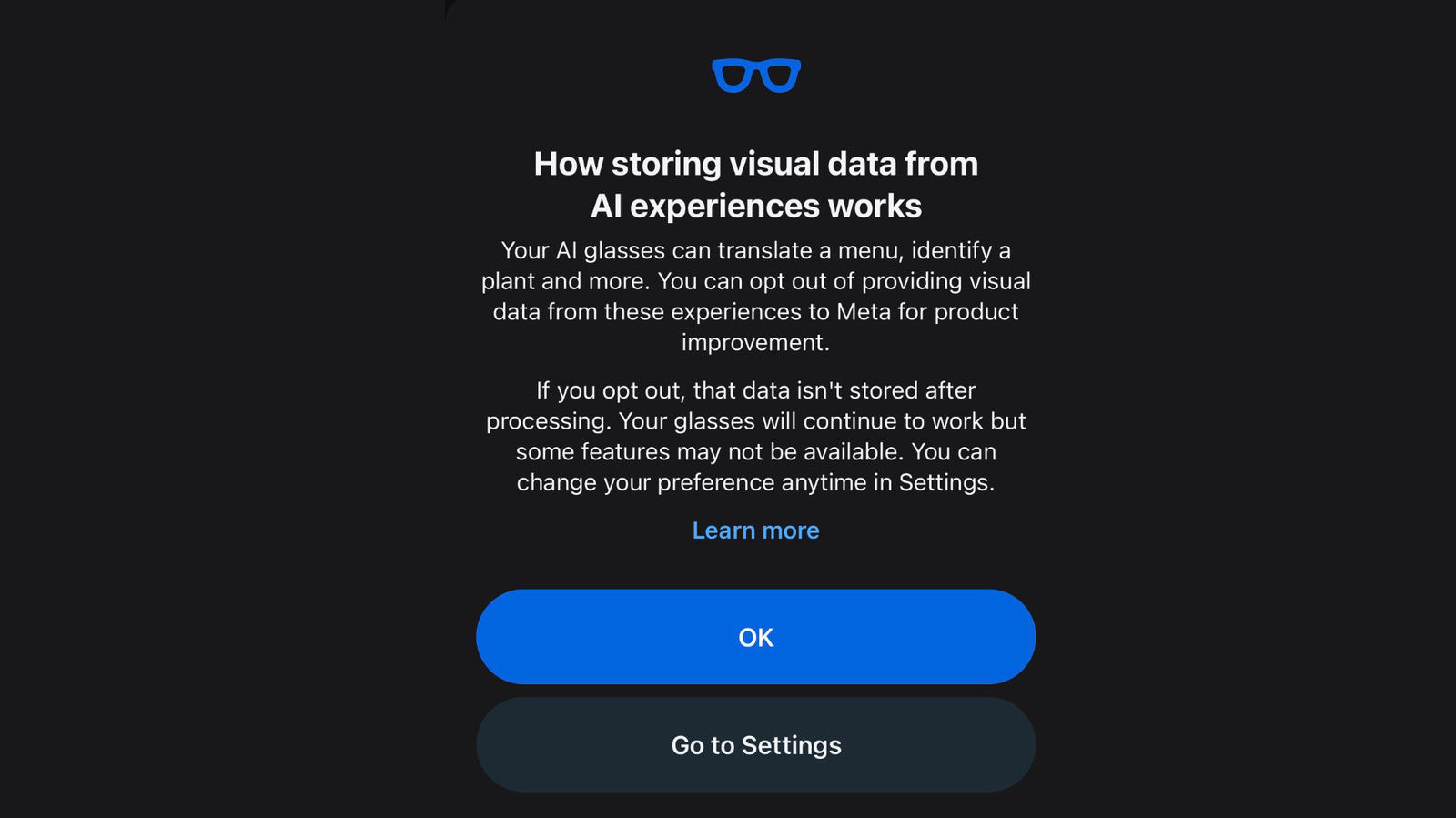
  • The company has begun notifying glasses owners about the change with a pop-up in the Meta AI app.
  • The notification directs users to the relevant settings page, but you can also find it directly by navigating to the settings for your glasses, selecting "Meta AI" and scrolling down to "store visual data from AI experiences."
  • Opting out may prevent you from being able to use certain features with the glasses, Meta says.
  • Along with the new setting, Meta has also published a more detailed description of how it uses "visual data" in a help center article that explicitly mentions the possibility of human review.

5 sentences from our version of the report, chosen to cover it. Nothing here is written; every line is in the article below. How

Headline check

The one thing this headline claims is in the report.

Figures, names and quoted words in the headline, looked for in the report itself — not in the summary above. One claim in this headline could be checked, so this is a narrow pass and not a thorough one. How this is checked

Read the full reportHide the full report2 min

The setting affects whether workers can review photos and videos from your glasses.

Meta has started to roll out the setting that allows people who use its smart glasses to opt out of allowing the company to use "visual data" collected by the device for AI training. The setting is now available within the Meta AI app.

The company has begun notifying glasses owners about the change with a pop-up in the Meta AI app. "Your Al glasses can translate a menu, identify a plant and more," it says. "You can opt out of providing visual data from these experiences to Meta for product improvement. If you opt out, that data isn't stored after processing."

The notification directs users to the relevant settings page, but you can also find it directly by navigating to the settings for your glasses, selecting "Meta AI" and scrolling down to "store visual data from AI experiences." You'll need to have your glasses out of their case and connected to your phone in order to change the setting. If you have multiple pairs of glasses, you'll need to repeat this step for each pair.

Opting out may prevent you from being able to use certain features with the glasses, Meta says. This includes "visual reminders," like looking at an object and asking Meta AI to remind you to buy it next week. It's not if any other features are affected.

Along with the new setting, Meta has also published a more detailed description of how it uses "visual data" in a help center article that explicitly mentions the possibility of human review. "When you use AI experiences on your Meta glasses – like asking about something you're looking at or using live AI – Meta stores the resulting visual data and may use it to power glasses features and improve Meta products," the company explains. "This includes the process of training and improving AI models, which may be automated or manual (human)."

The company goes on to note that it only stores "visual data" collected while using certain AI features, including Live AI. Visual data, the company says, does not include "photos and videos you capture with your glasses when the capture LED is on."

You are reading our version, not theirs. This is Engadget's report with its verdicts and loaded words taken out. Plain description stays, and so do adjectives that carry a fact, such as "former" or "federal". The reporting, the facts and the quotations are theirs — quotations are never edited — and the indicators beside it measure this version. Hover or tap Adjectives to see every one left in the text.

How this outlet filed it, and how we rewrote it

No other newsroom we read has filed on this event, so there is nothing to compare it with yet.

Outlet Niral ScoreAdjectivesSourcingHappiness
Engadgetas they published this story 8.7 7 78 50
Mundane Readneutralized from Engadget 8.2 7 78 50

Sign in to react.

Comments

Nothing here yet.

Sign in to comment.

Questions

Readers can ask a question about this story here. Questions and answers are for subscribers. Sign in to read them.

Comments are read before they appear where anything in them needs a person to look. Nothing posted here is ever deleted; a comment taken down keeps its text and the reason, so the decision can be looked at again. How this works