
Subscribe Sign in

USB-A vs. USB-C: What's the difference between them?

Engadget
1 min read Rewritten in plain language

LaptopsAccessories

Show what we removed Rules applied: A1 D2×7 D3×21 D4×2 E3×19 F2×13 all 30 rules
  • You likely use USB every day to charge your phone, connect peripherals to your computer and much more.
  • USB-An is one of the two original connectors defined in the USB 1 standard.
  • Early versions of USB designated one device as the host and the second as the connected device; they weren't reversible.
  • Nowadays, the standard names are USB 5 Gbps, USB 10 Gbps and USB 20 Gbps to designate their max speeds.
  • If you plug a USB 20 Gbps cable into a port that caps at USB 5 Gbps, it will only transfer data at the lower speed.

5 sentences from our version of the report, chosen to cover it. Nothing here is written; every line is in the article below. How

USB-A is one of the two original connectors defined in the USB 1 standard. Early versions of USB designated one device as the host and the second as the connected device; they weren't reversible.

Headline check

There is nothing in this headline a machine can check against the report: no figure, no name and no quotation.

Nothing was measured here, so nothing is claimed. How this is checked

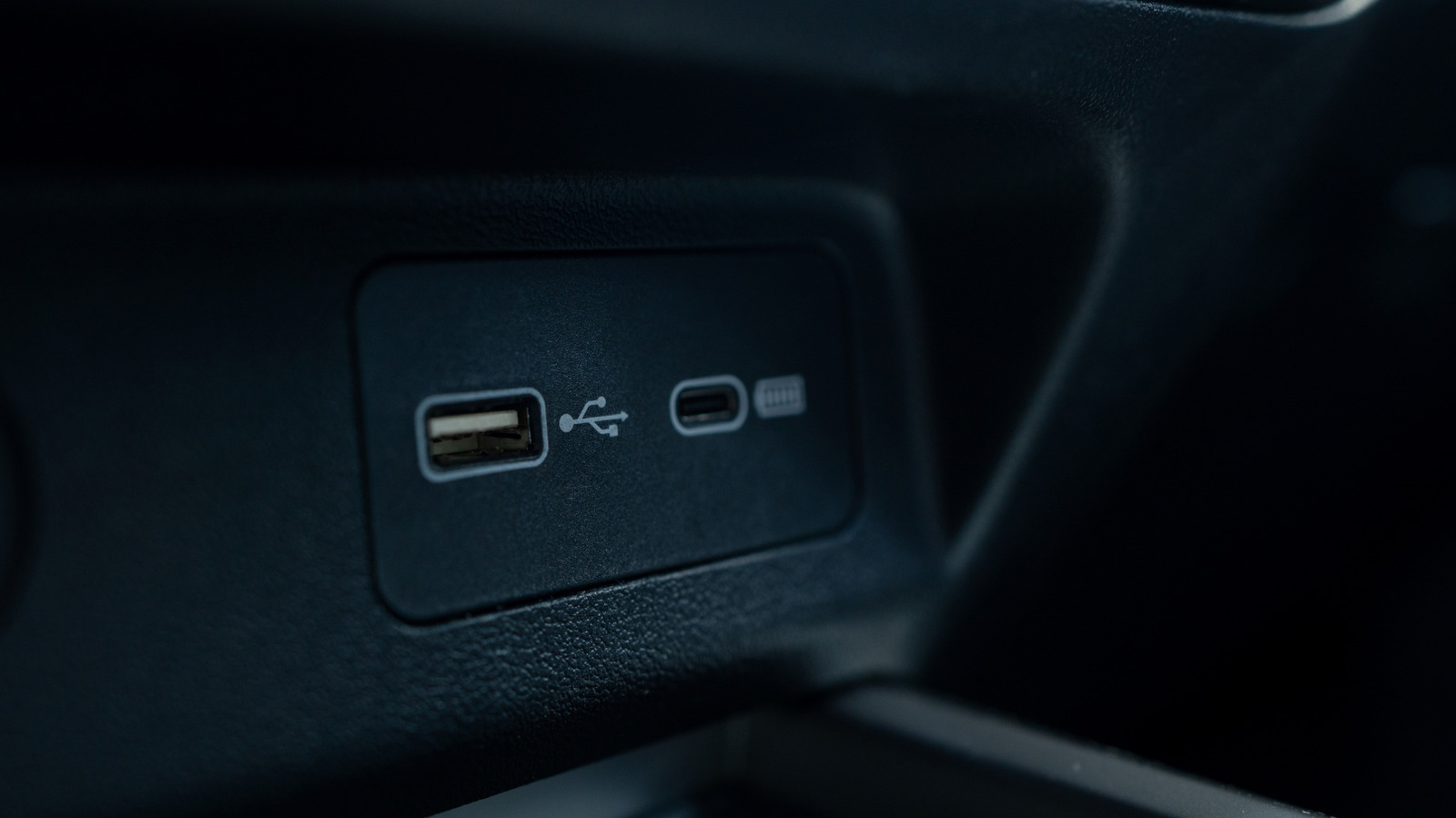
These two connector types are visually distinct, but looks aren’t their only differences.

You likely use USB every day to charge your phone, connect peripherals to your computer and much more.

USB-C is newer than USB-A but the older standard is still commonly used today.

USB-An is one of the two original connectors defined in the USB 1 standard.

USB was created to simplify computer peripherals by providing one connection for accessories. Early versions of USB designated one device as the host and the second as the connected device; they weren't reversible.

USB-B was the companion connector type in the early days, used for peripherals. You'll occasionally still see USB-B used for devices like printers, but it's much less common now. Mini-B and Micro-B served the same purpose, but were smaller so they could fit on mobile devices like MP3 players, phones and game controllers.

USB-An is still used today and has wide compatibility across devices given how long it's been around.

USB-C debuted in 2014, though devices using it didn't properly roll out until 2015.

Nowadays, the standard names are USB 5 Gbps, USB 10 Gbps and USB 20 Gbps to designate their max speeds.

USB-C can be as slow as USB 2.0, but it can also meet the USB 20 Gbps standard. USB4 is only supported with USB-C. To take advantage of these faster standards, all parts of the connection must support it. If you plug a USB 20 Gbps cable into a port that caps at USB 5 Gbps, it will only transfer data at the lower speed.

Shortened to 1 minute of reading, this version reads 12 on the Niral Score.

You are reading our version, not theirs. This is Engadget's report shortened to its most important sentences, in plainer words, with verdicts and loaded words taken out. Plain description stays, and so do adjectives that carry a fact, such as "former" or "federal". The reporting, the facts and the quotations are theirs — quotations are never edited — and the indicators beside it measure this version. Hover or tap Adjectives to see every one left in the text.

How this outlet filed it, and how we rewrote it

No other newsroom we read has filed on this event, so there is nothing to compare it with yet.

Outlet Niral ScoreAdjectivesSentimentHappiness
Engadgetas they published this story 14.6 20 0.1 50
Mundane Readneutralized from Engadget 14.1 19 0.1 50

Sign in to react.

Comments

Nothing here yet.

Sign in to comment.

Questions

Readers can ask a question about this story here. Questions and answers are for subscribers. Sign in to read them.

Comments are read before they appear where anything in them needs a person to look. Nothing posted here is ever deleted; a comment taken down keeps its text and the reason, so the decision can be looked at again. How this works