
Subscribe Sign in

How Focus mode has changed in iOS 27

Engadget
1 min read Rewritten in plain language

Apple

Show what we removed Rules applied: A1 A3 A9×2 D2×2 D3×10 E3×31 F2 all 30 rules
  • Focus isn't the biggest feature to change with iOS 27, but it has some cool enhancements worth knowing.
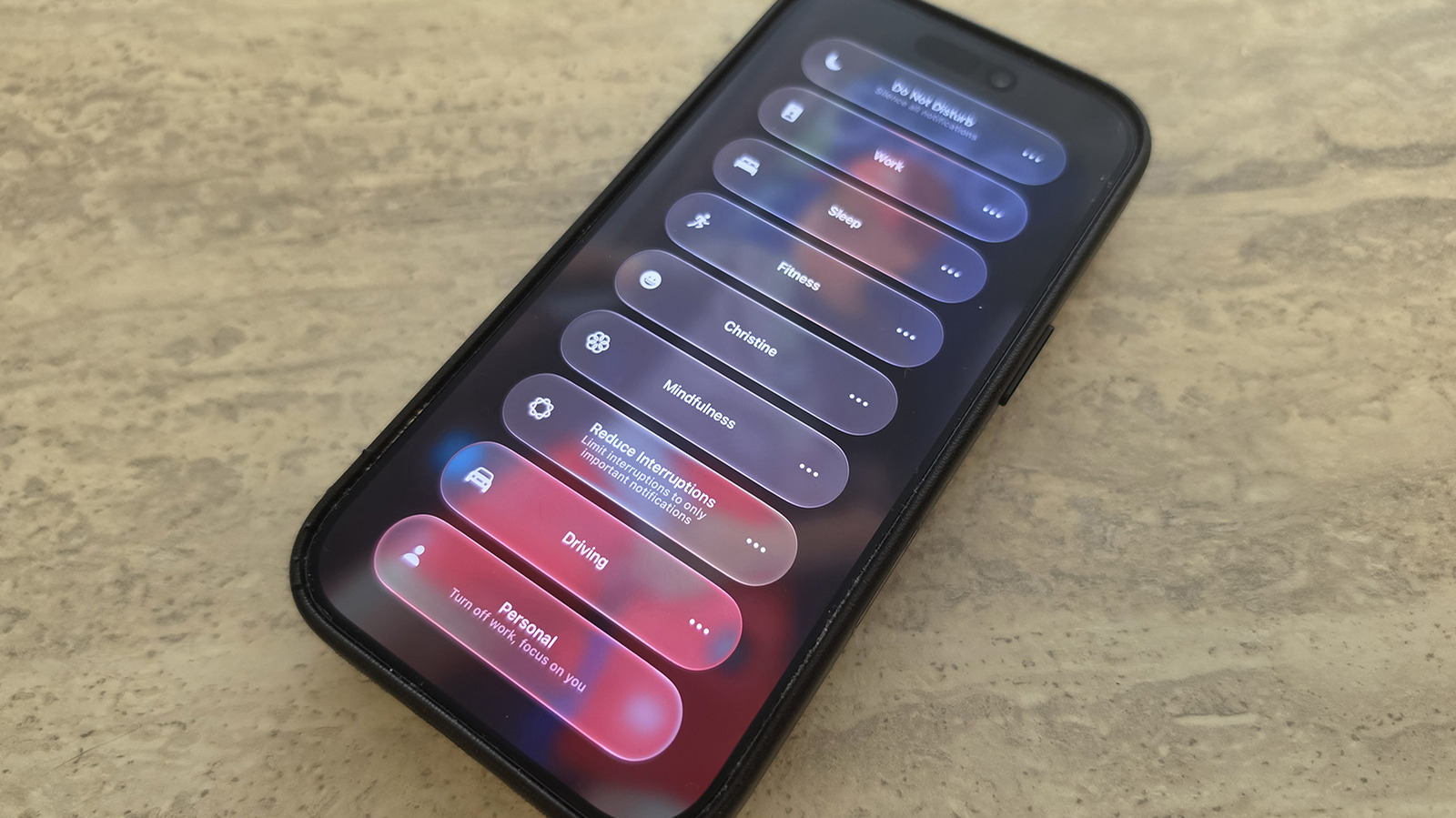
  • To select a Focus mode, swipe down from the top-right of the screen to open Control Center, then tap the Focus panel and select the desired mode from there.
  • While Focus has been around for several years, some of iOS 27's improvements include tweaks to the feature.
  • IOS 27 also brings improvements to Focus mode tracking that allow you to build better Shortcuts around them.
  • You can use natural language commands to have Siri create a Shortcut that includes Focus mode status integrated to it, now improved with iOS 27.

5 sentences from our version of the report, chosen to cover it. Nothing here is written; every line is in the article below. How

Headline check

All two things this headline claims are in the report.

Figures, names and quoted words in the headline, looked for in the report itself — not in the summary above. How this is checked

Focus isn't the biggest feature to change with iOS 27, but it has some cool enhancements worth knowing.

One of the best tools your iPhone offers to help you avoid distractions is Focus, which lets you control which alerts arrive at what times.

To select a Focus mode, swipe down from the top-right of the screen to open Control Center, then tap the Focus panel and select the desired mode from there. To configure your Focus modes, go to Settings, scroll down to Focus, then select any option to tweak what's allowed and what's silenced.

While Focus has been around for several years, some of iOS 27's improvements include tweaks to the feature.

With Control Center opened, long-press on any empty part of the screen until edit mode activates. Drag the bottom-right corner of the Focus icon to resize it as desired.

IOS 27 also brings improvements to Focus mode tracking that allow you to build better Shortcuts around them. As explained by Derek Seaman, Shortcut actions can check your specific phone state based on the Focus mode that's now active. You can now select Sleep Focus mode for an automation trigger, too.

"Otherwise if" logic statements are now supported with Shortcuts and Focus mode triggers.

You can use natural language commands to have Siri create a Shortcut that includes Focus mode status integrated to it, now improved with iOS 27.

Shortened to 1 minute of reading, this version reads 13.2 on the Niral Score.

You are reading our version, not theirs. This is Engadget's report shortened to its most important sentences, in plainer words, with verdicts and loaded words taken out. Plain description stays, and so do adjectives that carry a fact, such as "former" or "federal". The reporting, the facts and the quotations are theirs — quotations are never edited — and the indicators beside it measure this version. Hover or tap Adjectives to see every one left in the text.

How this outlet filed it, and how we rewrote it

No other newsroom we read has filed on this event, so there is nothing to compare it with yet.

Outlet Niral ScoreAdjectivesSourcingSentimentHappiness
Engadgetas they published this story 16.1 20 12 0.1 48.1
Mundane Readneutralized from Engadget 14.1 19 12 0.1 48.1

Sign in to react.

Comments

Nothing here yet.

Sign in to comment.

Questions

Readers can ask a question about this story here. Questions and answers are for subscribers. Sign in to read them.

Comments are read before they appear where anything in them needs a person to look. Nothing posted here is ever deleted; a comment taken down keeps its text and the reason, so the decision can be looked at again. How this works