
Subscribe Sign in

How to use an iPad as a second screen for your Mac or Windows PC

Engadget
1 min read Rewritten in plain language

Technology

Show what we removed Rules applied: A3×6 A6×2 D2 D3×3 D4 E3×38 F2×4 all 30 rules
  • Your iPad can give your Mac or PC some much-needed extra screen space.
  • Maybe you're working from a coffee shop or traveling, and all you have with you is your Mac and iPad.
  • The most important one is having a Mac.
  • If your iPad and Mac are already signed in to the same account, using Sidecar is easy.
  • IPad and Mac users also have access to Universal Control.

5 sentences from our version of the report, chosen to cover it. Nothing here is written; every line is in the article below. How

Headline check

The one thing this headline claims is in the report.

Figures, names and quoted words in the headline, looked for in the report itself — not in the summary above. One claim in this headline could be checked, so this is a narrow pass and not a thorough one. How this is checked

Your iPad can give your Mac or PC some much-needed extra screen space.

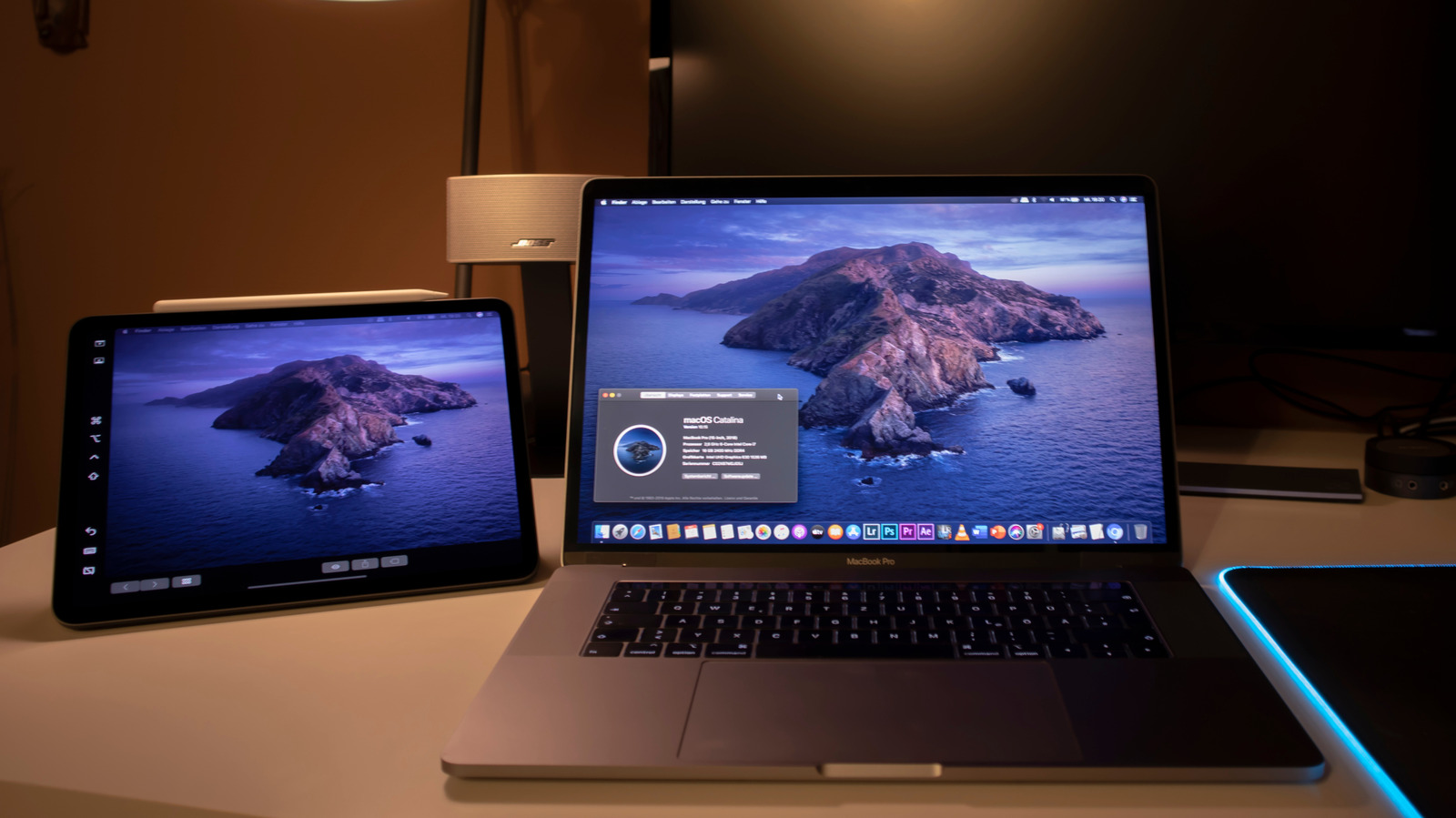
Portable displays can be useful for boosting your productivity on the go, and your iPad can pull double duty as one. Maybe you're working from a coffee shop or traveling, and all you have with you is your Mac and iPad. From third-party apps to Apple's own solution, there are many ways to turn your iPad into a monitor.

Sidecar is the simplest route, but there are a few requirements you need to meet. The most important one is having a Mac. Windows users are out of luck here, although there are alternatives in that case.

If your iPad and Mac are already signed in to the same account, using Sidecar is easy. Look for Screen Mirroring, the two overlapping squares, in the list. Choose your iPad, and it turns into a secondary display for your Mac.

You can even go to the Display settings under System Settings to rearrange the iPad's screen however you like.

IPad and Mac users also have access to Universal Control. Instead of turning the iPad into an external display, the idea is to use inputs from one device to control the other. Move the Mac's cursor onto the iPad's screen, send input the other way or even drag and drop between the two devices.

If that doesn't work for you for some reason, try manually enabling Universal Control in the Screen Mirroring settings in Control Center.

Plug the dongle into a Mac mini and use it directly with your iPad.

Shortened to 1 minute of reading, this version reads 12.6 on the Niral Score.

You are reading our version, not theirs. This is Engadget's report shortened to its most important sentences, in plainer words, with verdicts and loaded words taken out. Plain description stays, and so do adjectives that carry a fact, such as "former" or "federal". The reporting, the facts and the quotations are theirs — quotations are never edited — and the indicators beside it measure this version. Hover or tap Adjectives to see every one left in the text.

How outlets headlined it

Each outlet's own headline. Struck through: the loaded words our version leaves out. Plainest first.

  • Engadget How to use an iPad as a second screen for your Mac or Windows PC plain
  • Engadget How to use Xbox mode on your Windows PC plain

How each outlet filed it

Outlet Niral ScoreAdjectivesSourcingSentimentHappiness
Engadgetas they published this story 15 11 8 -0.2 51.9
Engadget 19.9 16 0 0 37.5
Mundane Readneutralized from Engadget 13.3 11 8 -0.2 51.9

Sign in to react.

Comments

Nothing here yet.

Sign in to comment.

Questions

Readers can ask a question about this story here. Questions and answers are for subscribers. Sign in to read them.

Comments are read before they appear where anything in them needs a person to look. Nothing posted here is ever deleted; a comment taken down keeps its text and the reason, so the decision can be looked at again. How this works

The same event elsewhere

1 other outlet filed this story. The scoreboard above is what they did differently.